大家好,
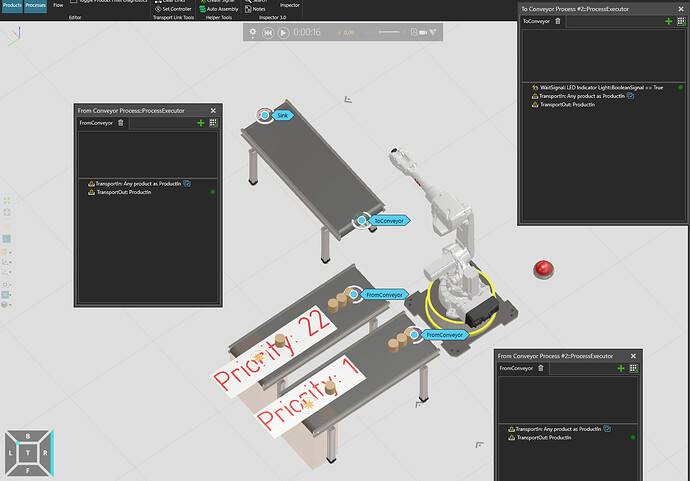
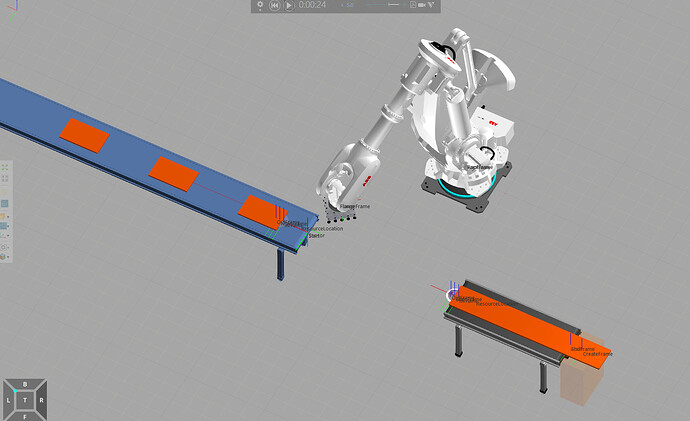
我正在编程一个分拣单元,希望将托盘中的组件分拣到红色(基座2)或绿色(基座3)容器中。我已附上机器人程序的主要部分以及子程序。目前,机器人只将组件送到基座2(红色容器)。基座1定义在托盘下方的平台上。
我的想法是根据组件的某个属性(例如材料)进行分拣(例如,绿色组件放入绿色容器)。有人知道如何实现这一点,以及在IF语句中应使用什么条件吗?
(不倾向使用Python)
提前感谢。
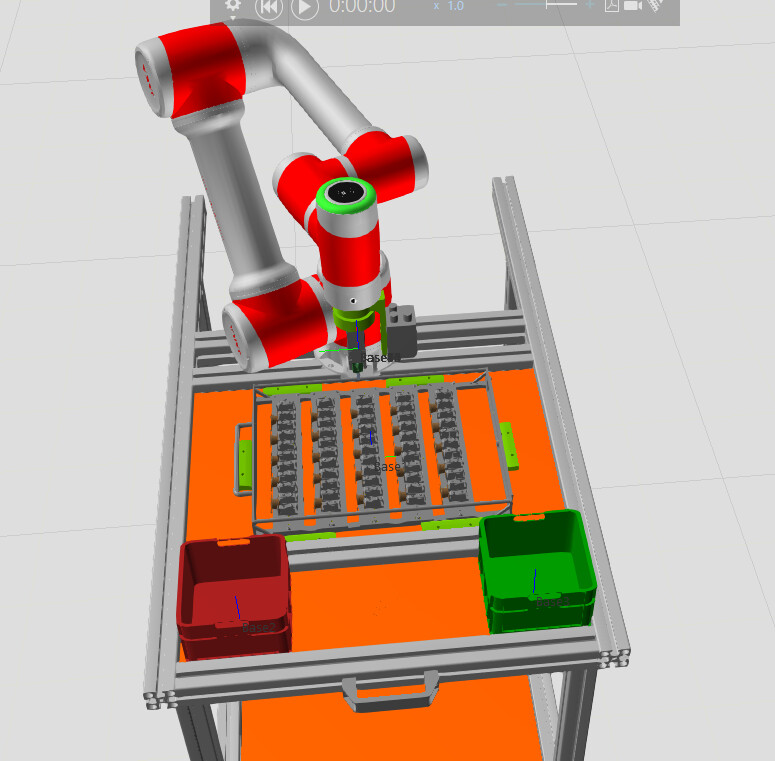
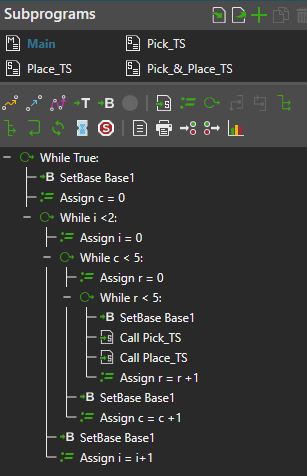
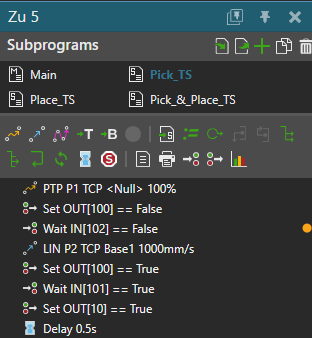
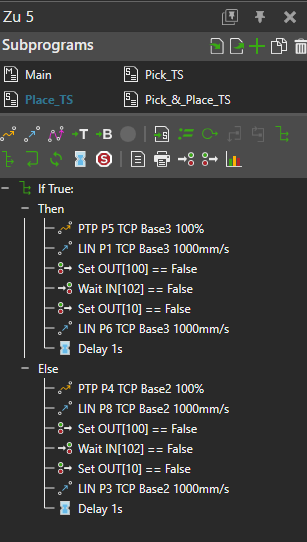

大家好,
我正在编程一个分拣单元,希望将托盘中的组件分拣到红色(基座2)或绿色(基座3)容器中。我已附上机器人程序的主要部分以及子程序。目前,机器人只将组件送到基座2(红色容器)。基座1定义在托盘下方的平台上。
我的想法是根据组件的某个属性(例如材料)进行分拣(例如,绿色组件放入绿色容器)。有人知道如何实现这一点,以及在IF语句中应使用什么条件吗?
(不倾向使用Python)
提前感谢。
你好,
我认为如果不使用Python进行少量编程,仅靠机器人编程是无法实现的。
如果只有两种不同的颜色,可以让其他组件读取零件的材质,然后向机器人的输入端口发送真/假信号。在IF语句中,可以编写例如IN[100]来读取输入信号100的当前值。机器人语句
您说的“其他组件读取零件材质”是什么意思?
在我的案例中该如何实现?
提前感谢。
可以是流程语句、传感器或……Python脚本。
我同意@Tilma的观点:似乎不借助少量Python编程是无法实现的,而且我认为eCatalog中没有现成的组件可以读取/测量材质。
对你来说很幸运,我的硬盘里正好有一个颜色传感器的示例。它会检测与其射线碰撞的第一个表面的颜色。
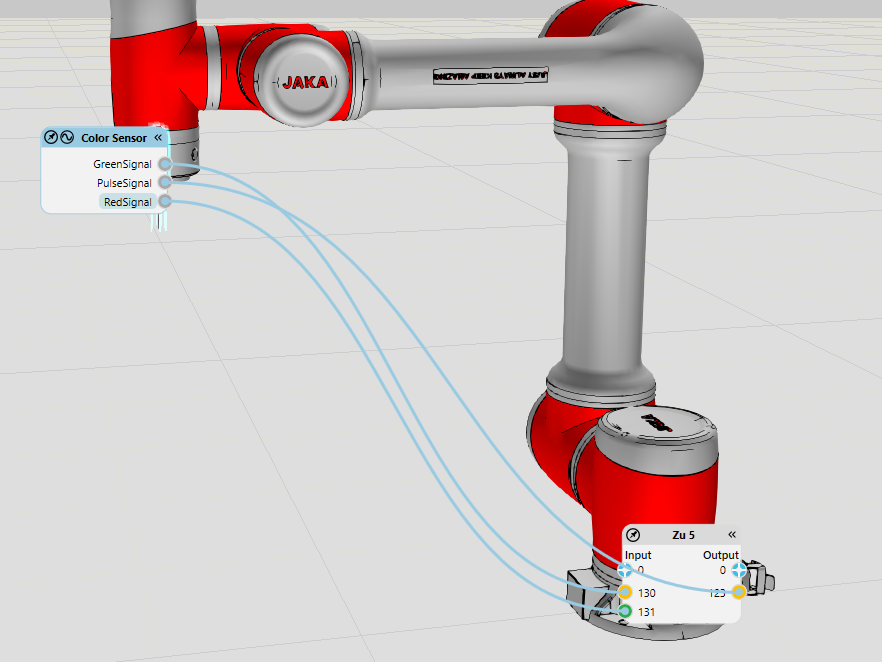
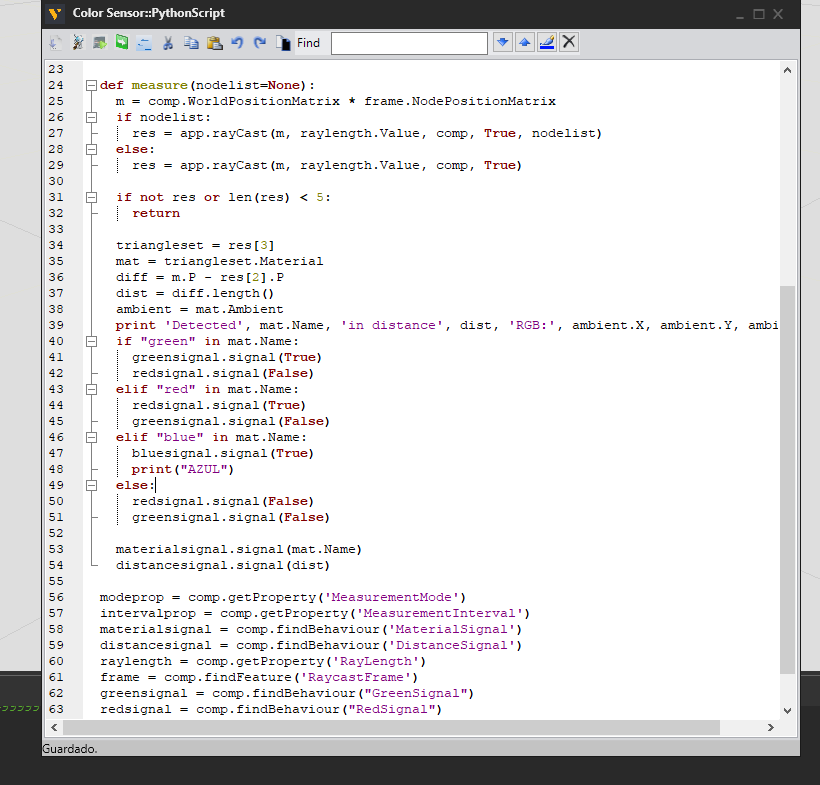
我为你快速修改了它,现在如果与射线碰撞的材质名称中含有“绿色”或“红色”,它就会发送布尔信号。将此传感器连接到机器人的第5或第6个连杆,通过发送脉冲信号进行测量,并在IF语句中使用前面提到的表达式。
颜色传感器.vcmx(17.9 KB)
你可以将此组件添加到你的布局中,并将其连接到你的夹爪上。
然后,你可以连接信号并在你的机器人程序中使用它们(如果需要,可以观看学院视频了解信号相关操作:机器人与信号 | Visual Components 学院)
输出面板打印了什么?你记得发送脉冲信号进行测量了吗?
非常感谢您的建议。下一个项目我一定会考虑这样做。但我已经决定用机器人程序编辑器来完成分拣单元,所以我想坚持到底。
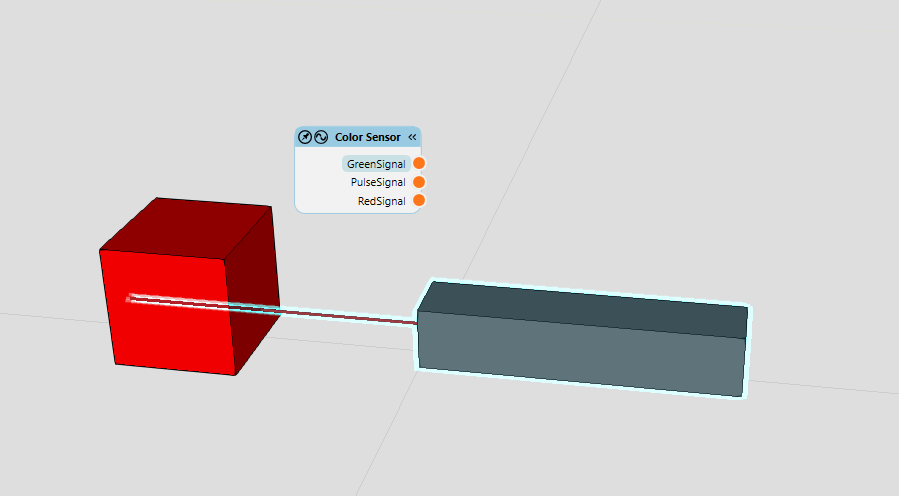
你好,我试用了颜色传感器,但不起作用,图片中的盒子是红色的,但红色位没有亮起!有什么解决办法吗?
提前感谢!
你发送脉冲信号进行测量了吗?它只在脉冲信号触发时才检查颜色。
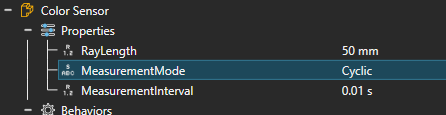
没错,而且在建模选项卡中有一个隐藏参数可以修改,使其能够持续进行测量:
没想到是这样的。
谢谢!!这个社区真的很有帮助!!
PLC信号也是类似的。实际上,我尽量少用连接到机器人的信号。我更喜欢在PLC中完成所有编程,并示教机器人点位,然后由PLC告诉机器人应该移动到哪个位置。顺便问一下,有没有地方可以看看其他人的项目来获取灵感?
提前感谢!
你可以看看案例研究:案例研究 - Visual Components
我觉得大多数人不会分享他们的项目,因为很多项目可能涉及保密内容。不过,在论坛上你仍然可以找到大量关于他人已完成或正在进行的项目的实例。
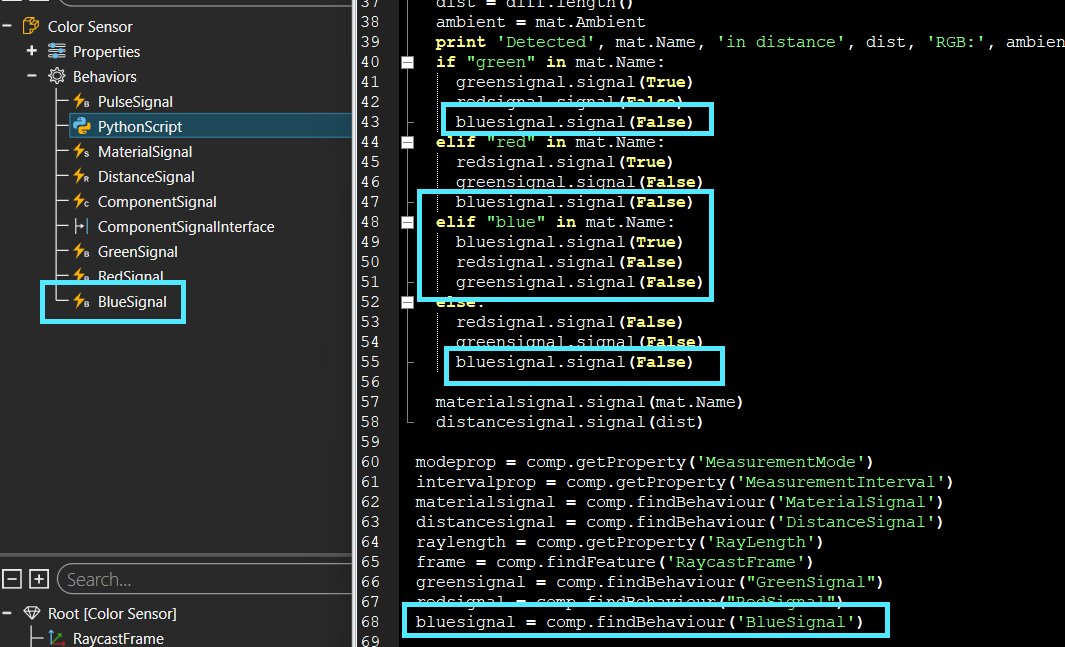
谢谢,现在黄色也能正常工作了!!!
您是本站第2363029名访客 今日有0篇新文章/评论

 微信扫一扫,打赏作者吧~
网友评论
最新评论