**在 Visual Components 中将徽标添加到非平面产品表面的方法** 您好! 在 Visual Components 中,若要将徽标图像添加到非平面(如曲面)的产品上,使用“图片框”(Picture Frame)可能无法直接实现良好的贴合效果。针对曲面,建议使用以下方法: --- ### ✅ **推荐方法:使用“添加贴花”(Add Decal)或纹理映射工具** 这些工具专为在复杂表面上投影图像而设计,能更好地适应曲面几何形状。 1. **添加贴花(Add Decal)**: - 在组件编辑模式下,选择目标曲面。 - 通过 **“外观”** 或 **“纹理”** 选项卡找到 **“添加贴花”** 选项。 - 上传您的徽标图像,并调整位置、大小和方向,使其贴合曲面。 - 贴花功能会自动将图像投影到所选表面,即使表面是弯曲的。 2. **纹理映射工具(Texture Mapping Tool)**: - 对于更复杂的曲面控制,可使用纹理映射工具。 - 它允许您精确调整图像的映射方式,例如通过 UV 坐标控制图像在曲面上的拉伸和变形。 --- ### 📚 **参考资源** - **添加贴花教程**: [Visual Components Academy - Adding a decal](https://academy.visualcomponents.com/) - **纹理映射工具使用指南**: [Visual Components Academy - How to use texture mapping tool](https://academy.visualcomponents.com/) --- ### 💡 **操作提示** - 如果曲面曲率较大,可能需要将图像分割为多个部分分别应用,或使用更高分辨率的纹理以获得清晰效果。 - 调整环境光照和材质属性(如反射率),可使徽标在渲染中更自然。 希望这些方法能帮助您成功将徽标应用到产品上!如果遇到具体操作问题,欢迎进一步询问。

Hello Everyone,

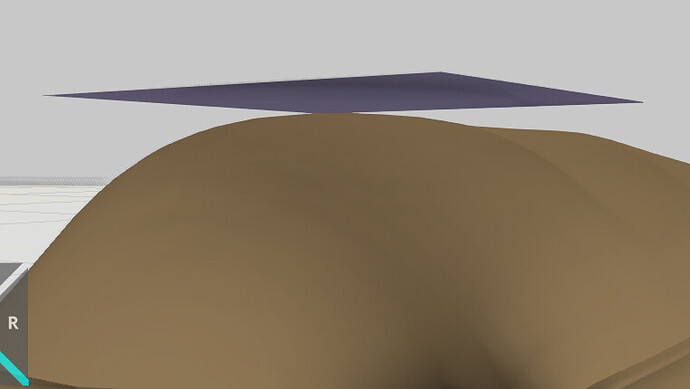
I’m trying to add alogo imageto my product in Visual Components using aPicture Frame.
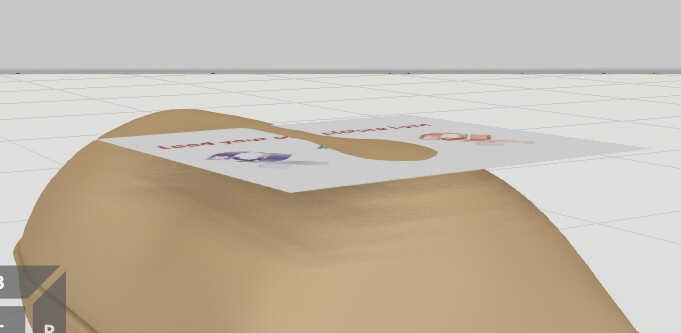
The problem is that the product surface isnot flat, so the image does not align correctly on surface.

Is there any method in Visual Components to Project an image onto acurved surface.

Would Add Decal or Mapping tools help you? I often use the Add Decal to apply a logo to a curved surface.
Adding a decal | Visual Components Academy
How to use texture mapping tool | Visual Components Academy

1 Like

Hi@KustiH

Thanks for your support,

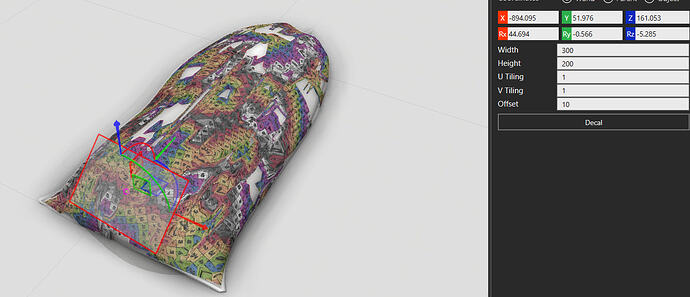
I tried using theDecaloption in Visual Components to add a logo to my product.
However, the decal isreflected on the entire object, instead of only aspecific areawhere I want the logo.

Bag.vcmx(853.3 KB)

@Cool1This is my first time using the decal tool, but it seems to be a bit unpredictable. I was able to get it to work by slicing a section of the bag and applying the decal to that instead. Hopefully this works for your project

Bag2.vcmx(2.4 MB)

1 Like